AI Book Maker: Create High-Quality Books with AI
Learn how an AI book maker (AI book creator platform) helps you plan, write, refine, and publish professional books faster while keeping full creative control.
Stay updated with our newsletter
Receive exclusive tips, resources, and updates to turn your ideas into bestselling books.
Last updated: July 30, 2026
An AI book maker (also called AI book creator, AI-powered book generator, artificial intelligence writing platform, AI publishing tool) is a focused system that helps transform raw ideas into a structured, polished manuscript. With the generative AI market valued at over $63 billion and growing exponentially - while more than half of AI users leverage these tools for content creation and editing (source) - AI book makers represent the natural evolution of assisted writing. This definitive guide shows you how to leverage AI while preserving your authentic author voice and editorial quality.
Table of Contents
- How Books Maker works, step by step
- How to use Booksmaker: practical guide
- Why an AI book maker is a game changer
- Generic tool vs specialized AI book creator
- Integrating with traditional editorial workflow
- Success Metrics
- Comparison: manual vs AI-assisted
- Future of AI book creation
- FAQ - Frequently Asked Questions
How Books Maker Works, Step by Step
Books Maker takes you from idea to a finished book in four steps (explained in detail on the how Books Maker works page):
- Tell us your idea - choose a title, genre, audience, language among more than ten available and the length of the book.
- Build the outline with the assistant - an AI chat assistant works out plot, setting, characters with their arcs and the list of chapters with you; you chat and edit everything until the structure feels right.
- The AI writes chapter by chapter - you guide, review and edit the text directly, keeping plot, characters and style consistent.
- Export or publish - get a cover and export in PDF, EPUB and DOCX, or publish directly on Amazon or send the book to your Kindle.
The same journey serves two different goals: people who want to create the book they want to read (a novel, a family story, a gift) and people who want to create a book to sell, with professional quality and store publishing.
How to use Booksmaker: practical guide
This section walks you through using Booksmaker.ai from your first login to exporting your finished book. Content is adapted from the official user guide.
Getting started: creating a new book
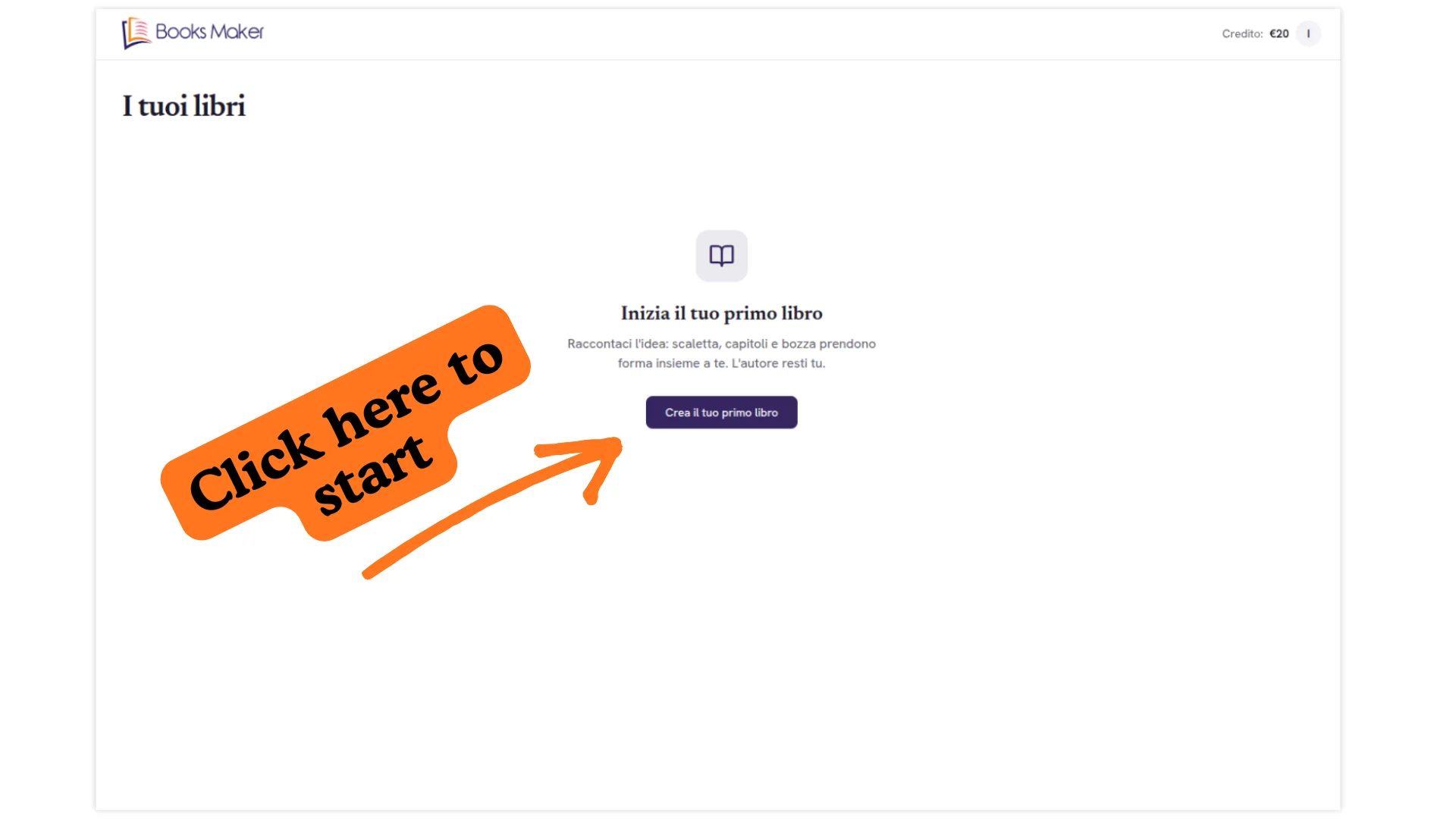
After logging in, you land on the "My Books" dashboard. Here you'll find your projects listed with title, target audience, genre, page count, and creation date. Click "Add new book" to start.
Fill in:
- Title of your book
- Target audience (children, adults, etc.)
- Genre(s) (fantasy, thriller, non-fiction, children's books, etc.)
- Language (10+ available: English, Italian, Spanish, French, German, Portuguese, Turkish, Arabic, Chinese, Japanese, Russian)
- Number of pages
Choose the generation quality between Base, Medium, and High. Quality affects both cost and output refinement: Base is ideal for drafts, High for publication-ready results.
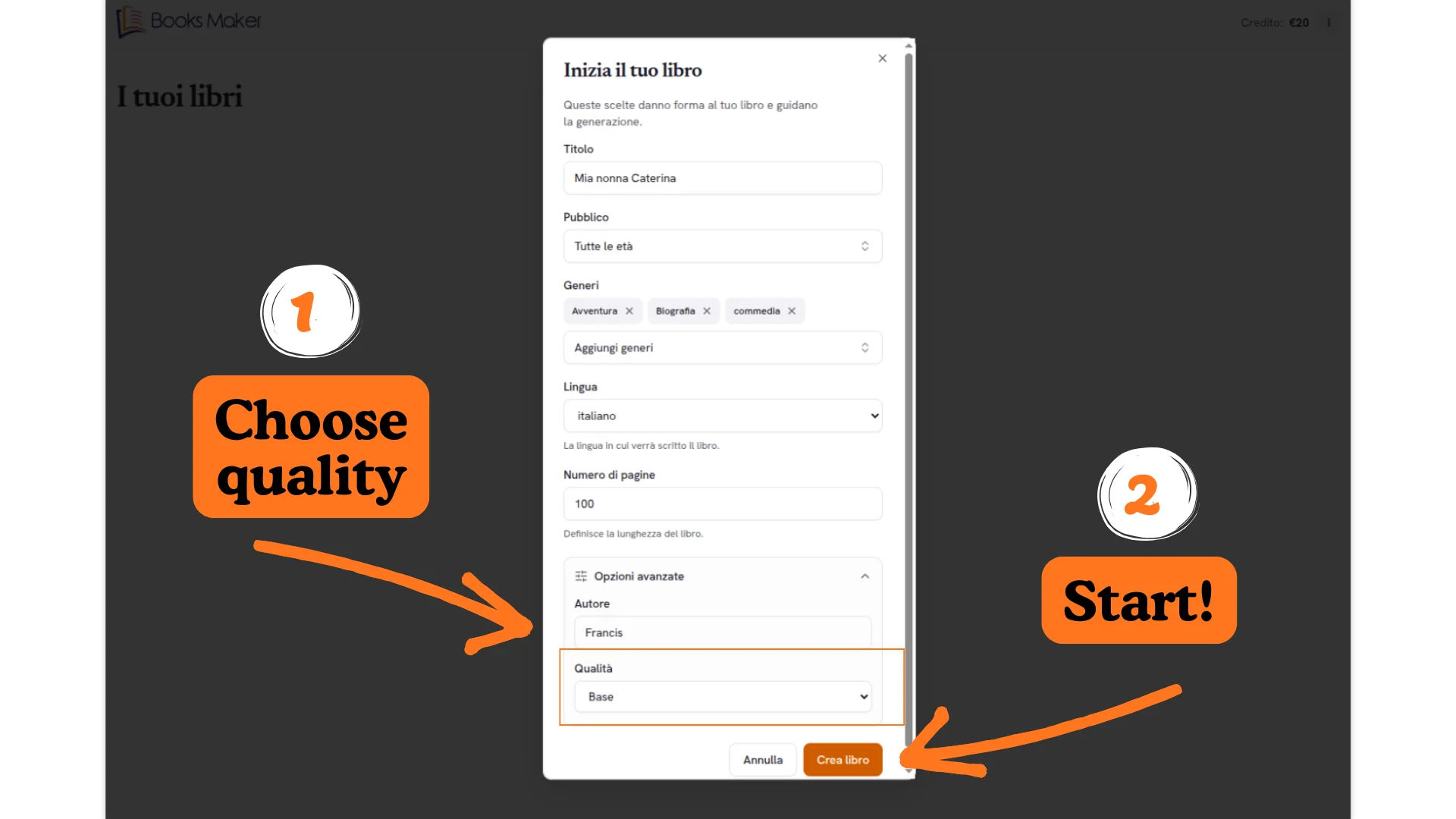
Click "Create book" and the AI will prepare your book's base structure.
AI assistant and editor
The editor has three main areas:
- Left: book structure (full outline, chapter outline, chapter content)
- Center: book content being edited
- Right: AI assistant for chat and suggestions
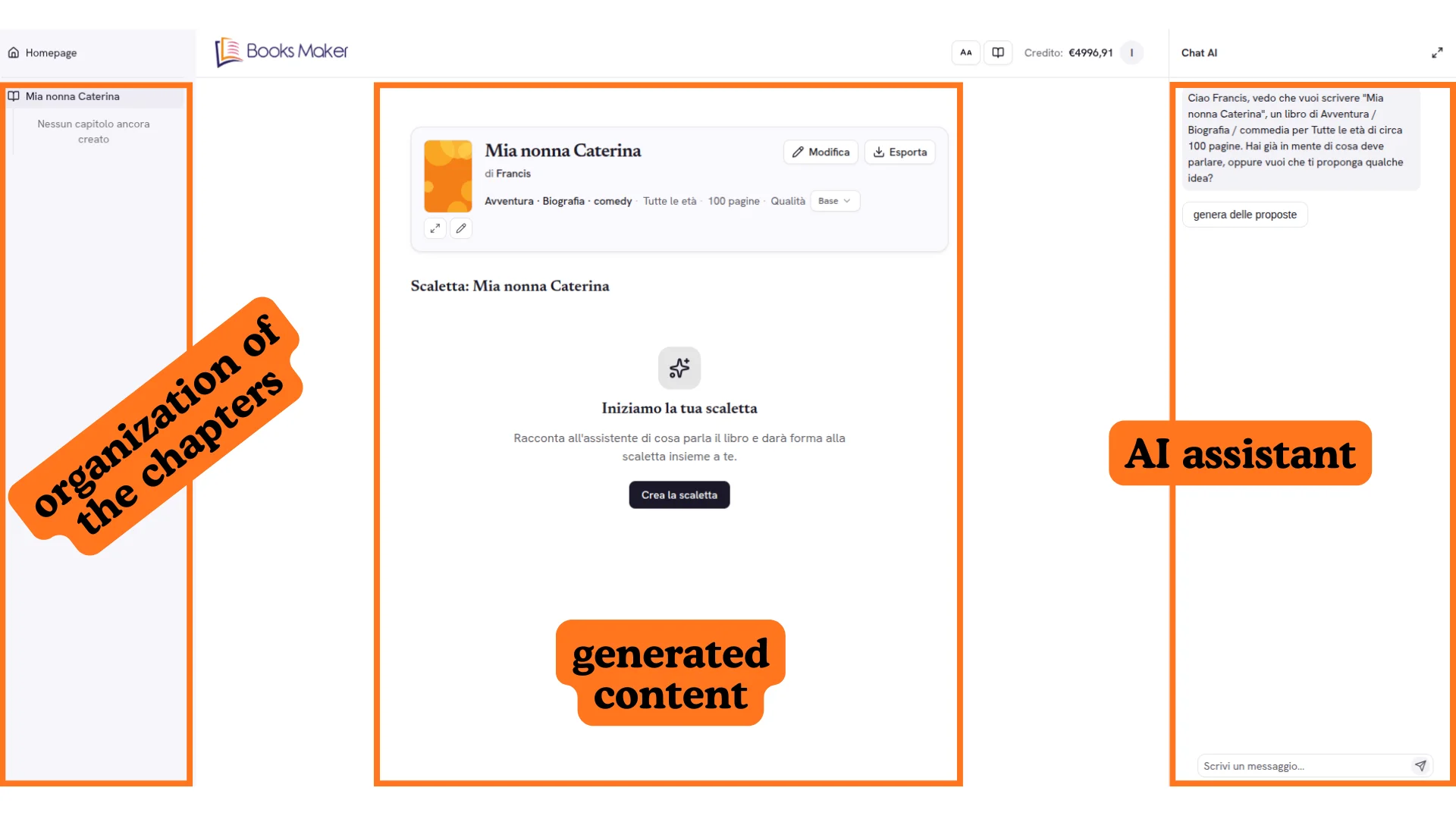
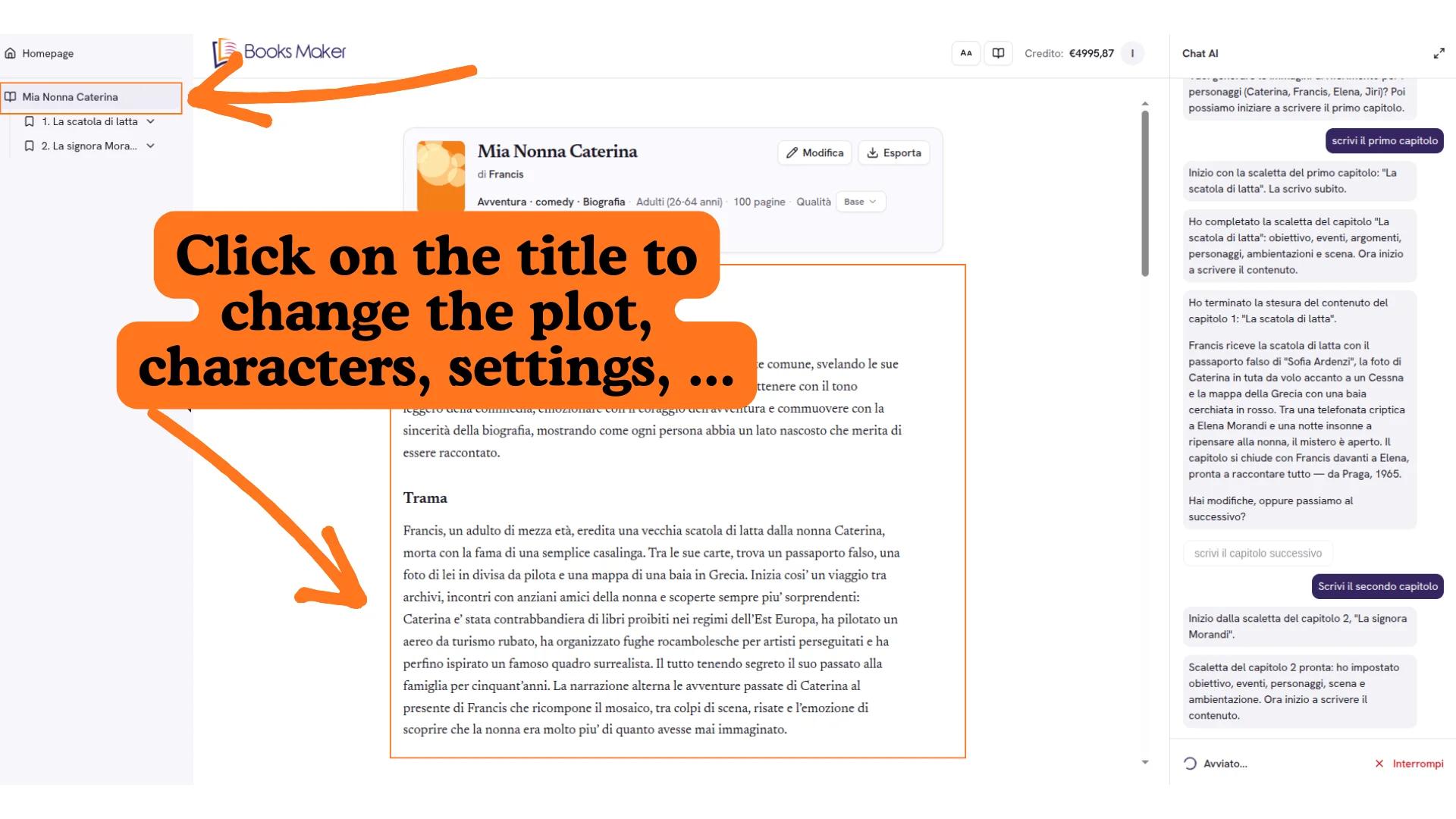
Building the outline. Start by creating your outline or having the AI suggest proposals. The AI can provide a complete structure in seconds. Edit plot, characters, and settings directly by clicking elements in the left sidebar.
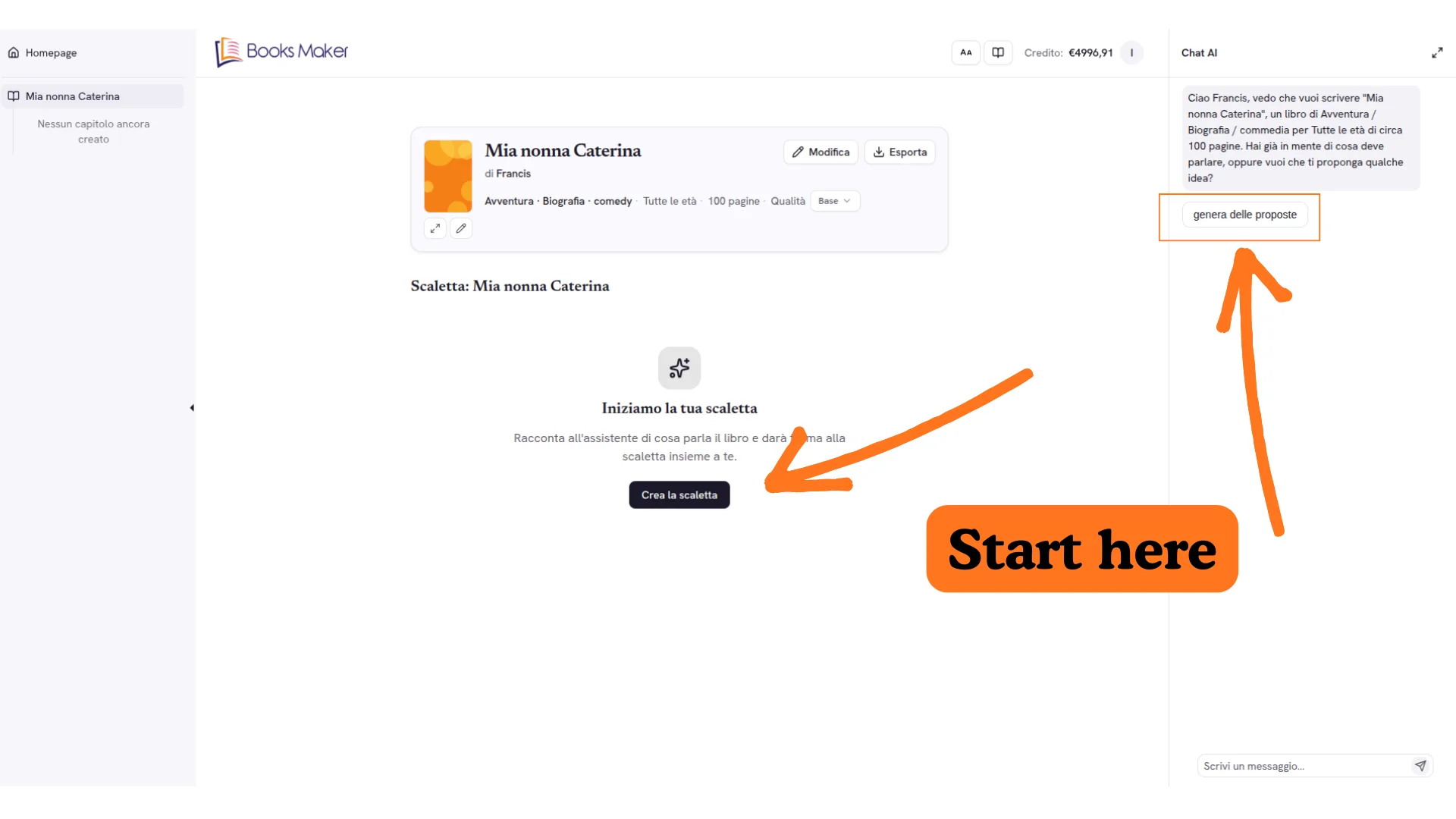
Chat AI and editing. The Chat AI section lets you interact with the assistant: ask for changes, suggestions, or rewrites. Click on a paragraph and select "Send selection to chat" to work on specific portions of text.
Cover and image generation
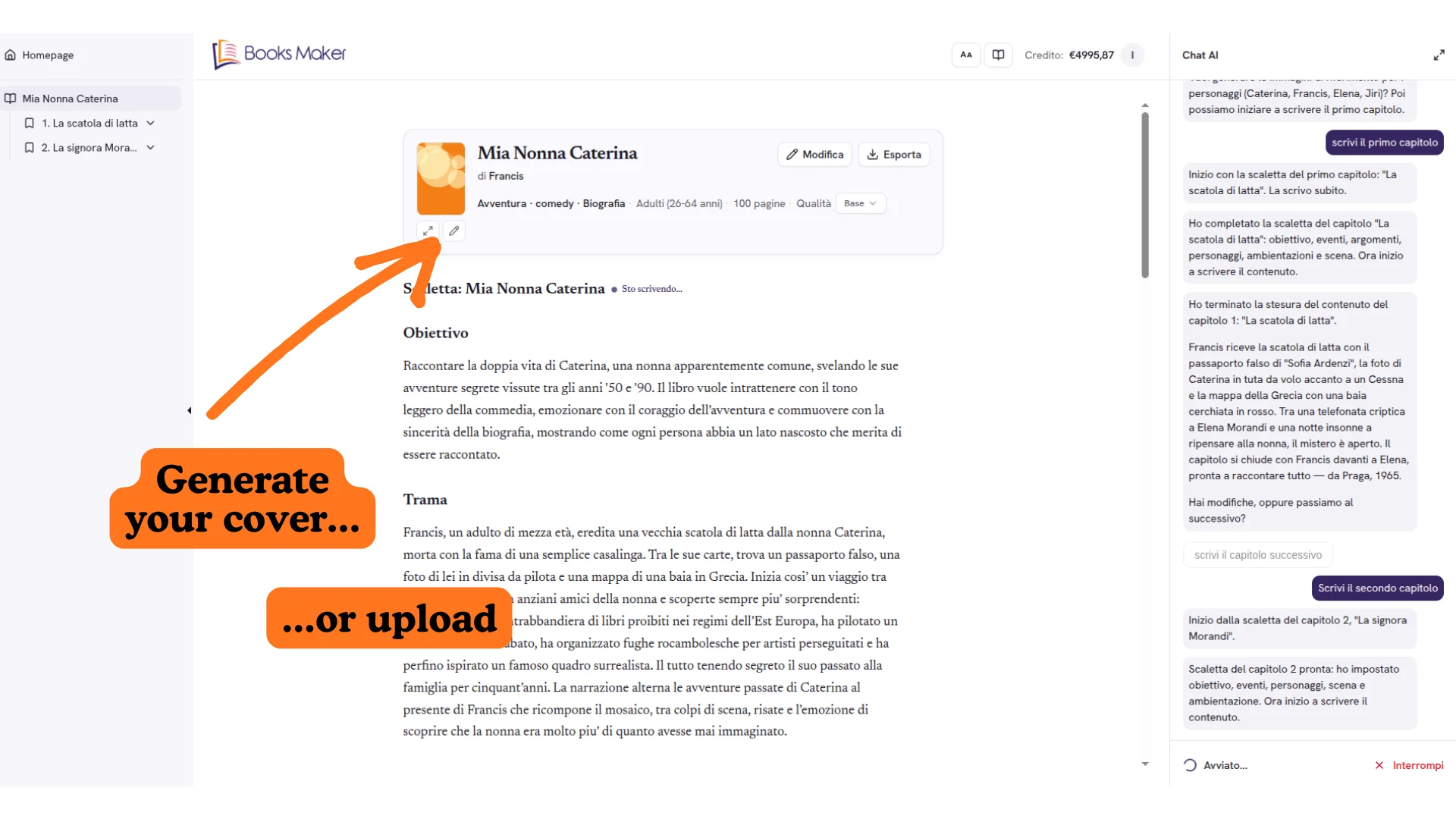
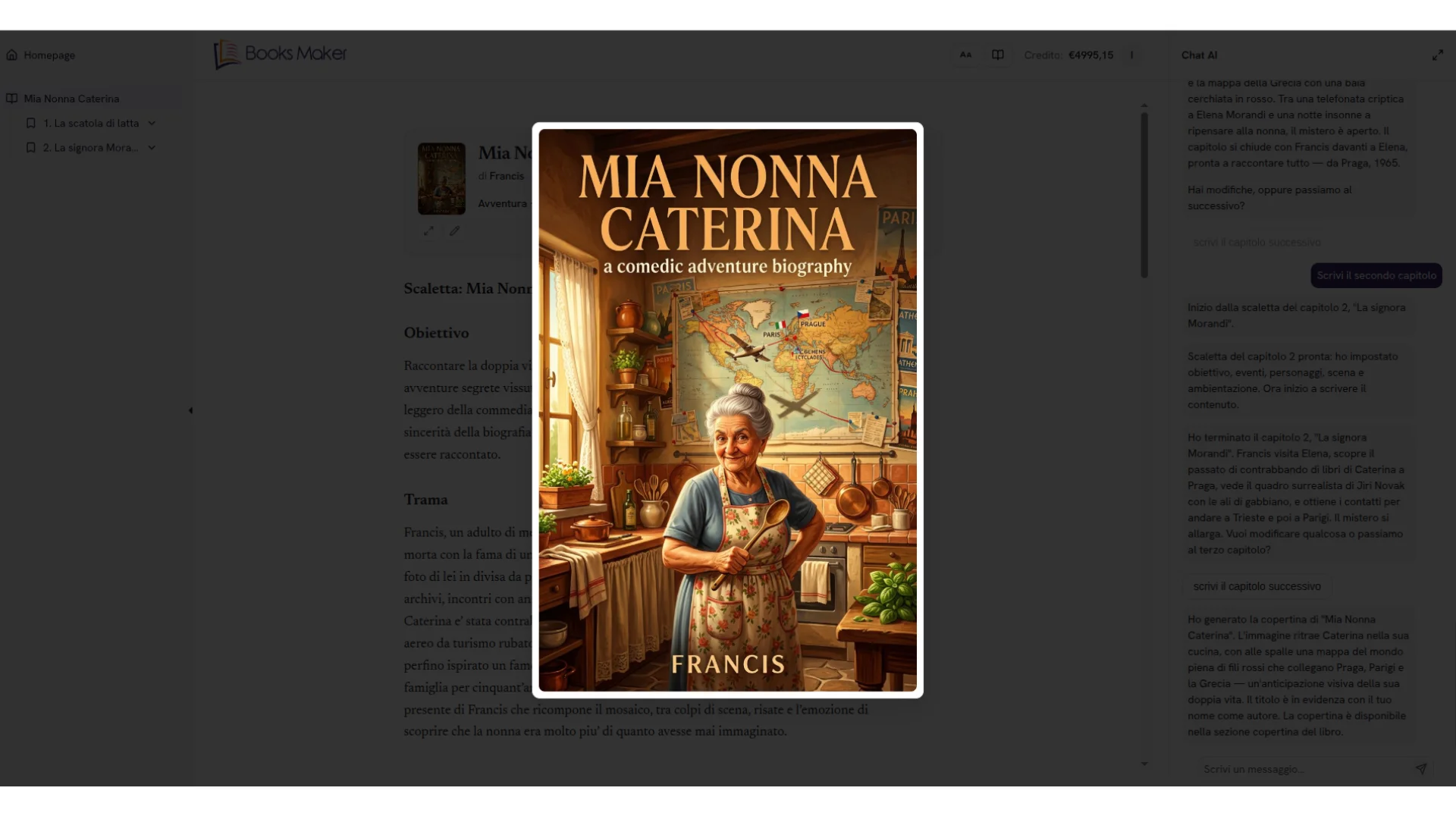
Cover. Click "Generate cover" to create a professional AI cover. The cover is generated based on title, subtitle, literary genre, target audience, and chosen visual style (minimal, illustrated, photographic, etc.).
Paragraph illustration. Expand a chapter, click on the desired paragraph, and select the option to generate an image. The AI creates an illustration consistent with the paragraph content - ideal for illustrated books and visual storytelling.
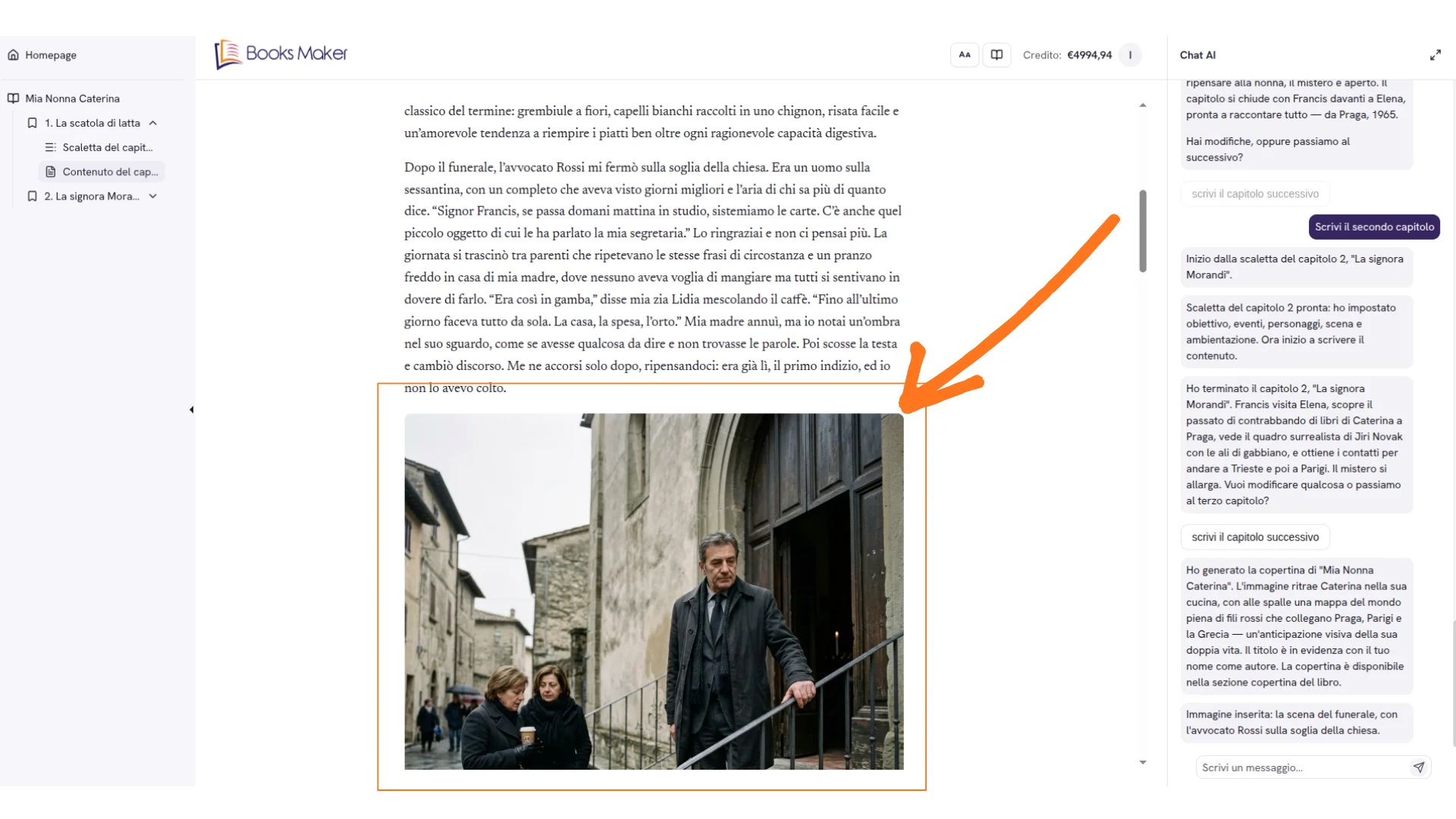
Export. Once your book is complete, export it in DOCX, PDF, EPUB, send it to your Kindle, or export the KDP package ready for Amazon.
Why an AI Book Maker Is a Game Changer
A professional ai book maker accelerates slow publishing phases: ideation, outline structuring, narrative consistency, stylistic editing, and multi-format preparation. Instead of wrestling for weeks with writer's block you can:
- Generate professional outlines in minutes.
- Receive context-aware suggestions for flow and transitions.
- Get real-time grammar + style refinement.
- Iterate chapters without losing tonal coherence.
- Reduce external editing cost significantly.
"AI doesn't replace authors; it amplifies their creative potential." - Booksmaker.ai
Generic Tool vs Specialized AI Book Creator
A generic writing tool spits out text. A specialized AI book creator provides an ecosystem: structural planning, character tracking, thematic glossaries, voice consistency analysis, tone calibration, and export flexibility.
Core Features of Books Maker
- AI chat assistant that builds the outline, chapters and revisions with you.
- Images and illustrated books: generate illustrations inside the book and create real picture books, with images consistent with your story.
- Quality you choose (Base, Medium, High): Books Maker switches the underlying AI model to raise the writing quality when the project calls for it.
- Customizable writing style: change the tone and style of the narration whenever you want, while the voice stays yours.
- More than ten languages to write and publish across markets.
- Multi-format export (PDF, EPUB, DOCX) with a cover, publishing on Amazon and sending to Kindle.
Integrating with Traditional Editorial Workflow
An ai book maker augments - not replaces - editors, marketers, proofreaders. Result: fewer correction cycles, more strategic refinement on message, positioning, and differentiation.
Success Metrics
- Average time per chapter
- Percent manually revised text
- Natural keyword density (1–1.5%)
- Character / concept consistency score
- Beta reader feedback on tone & clarity
Comparison: Manual vs AI-Assisted
| Aspect | Manual Only | AI Book Maker |
|---|---|---|
| Draft Time | 4–6 weeks | 5–10 days |
| Iterations | Many, ad hoc | Structured, versioned |
| Style Consistency | Variable | Monitored semantically |
| Editing Cost | High | Reduced |
Future of AI Book Creation
Advancing language models will enable: adaptive author voice preservation, predictive reader engagement feedback, automatic multi-format conversions (ebook, audio, micro-learning), and richer semantic indexing for discoverability. Early adoption unlocks durable competitive advantage.
Frequently Asked Questions About Books Maker
Can Books Maker generate images and create illustrated books?
Yes. Beyond text, with Books Maker you can generate images inside the book and create real picture books, with illustrations consistent with your story.
What changes between Base, Medium and High quality?
It's the writing quality level. When you choose Medium or High, Books Maker switches the underlying AI model to produce richer, more polished chapters when the project calls for it.
Can I change the writing style?
Yes, as you like. You can change the tone and style of the narration at any time, so the book's voice always stays yours.
In how many languages can I create the book, and where can I publish it?
You can write in more than ten languages and export to PDF, EPUB and DOCX; you can publish directly on Amazon or send the book to your Kindle.
Related Articles
- How Books Maker Works
- How to Create a Digital Book
- How AI is Revolutionizing Book Writing
- Creative Writing Techniques Enhanced by AI
📌 Have more questions? Check out our complete FAQ on how to create books with Books Maker to find all the answers about features, pricing, publishing, and more.
About Books Maker: Our team is made up of AI professionals. Together with expert writers and authors, we created booksmaker.ai to help our users achieve their publishing dreams by leveraging the power of Artificial Intelligence tools for every stage of the process, from idea to book creation.
Share this article
Start creating your book with AI
Use Booksmaker.ai to turn your idea into a published book, chapter by chapter.
Start for free